# Project Sharing/Structuring
It is possible to create several repository locations (e.g. server, NAS or cloud (OneDrive/SharePoint/Nextcloud/Dropbox/etc.).
You can select up to 10 directories in the settings. A selection is displayed in the main window, which you can use to switch between them.
[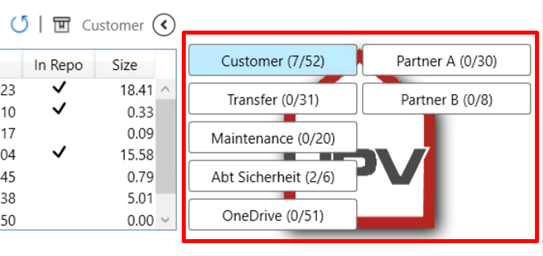](https://wiki.smarthometools.de/uploads/images/gallery/2025-01/Izaimage.png)
It is possible, for example, to realize joint project planning with other companies or to manage internal projects in a structured manner.
Once a project has been checked in, it can be moved to any other repository. To do this, simply use the context menu (right mouse click) in the repository list.
Project statuses in the repository shelf (see "repository mechanism") are not moved.
If a project has been successfully moved, the PM automatically creates an entry in the respective log file.